

Yes. A sideboard works as a media console in two ways: as storage beneath a wall-mounted TV, or as a base for a TV that stands on top, provided the piece is built to carry one. Many pieces sold as media consoles are sideboards in everything but name: low, wide cabinets with drawers and doors, listed as TV stands. That is why the choice is easier than it looks.
The US Consumer Product Safety Commission's Anchor It guidance says televisions should sit on furniture designed to hold them and be secured according to the manufacturer's instructions. So the real question is not whether a cabinet looks like a sideboard, but whether it is designed to carry a screen. Decide which arrangement you want first, then pick the furniture.
Table of Contents
Two Ways to Use a Sideboard as a Media Console
Wall-mounted TV above a sideboard. The wall mount carries the screen, and the sideboard below handles the storage: streaming box, soundbar, game consoles, remotes, cables and everything else you want out of sight. This is the simplest setup and works with almost any stable sideboard.
TV standing on the sideboard. Here the cabinet becomes the TV's support, so look for a piece designed for it: a usable top, a stated TV size or load, and securing instructions. Sideboard-style TV stands are built exactly for this.
Setup | What to look for |
Storage beneath a wall-mounted TV | Stable cabinet, easy access, good fit with the room |
TV standing on furniture | Designed for TV support, with stated size or load and securing instructions |
Electronics inside a cabinet | Room for each device, ventilation, cable opening |
Accessories in drawers | Usable interior dimensions |
Check the Height from Your Seat
Height is where sideboards and classic media consoles differ most. Sideboards are usually built for serving and storage and tend to be taller, while traditional media consoles sit lower to keep the screen near eye level when you are seated on a sofa. A tall cabinet with a TV on top puts the screen higher than a low console does, which suits some rooms and not others.
Sit where you normally watch, then have someone hold a tape measure or a piece of cardboard at the proposed screen position. The center of the picture should land close to your eye level, with no need to tilt your head back. Measure from the floor to that point, then subtract the cabinet height and the TV's stand height to see whether the combination works.
If the TV is wall-mounted, the cabinet height decides how much space is left between the top of the furniture and the bottom of the screen. Leave room for a soundbar if you plan to use one, and keep the gap consistent so the whole wall looks like a single composition.
Check the Top and TV Support
For a TV that stands on the furniture, compare the TV's full stand footprint with the usable top. A decorative lip or a raised section may reduce the flat area available. Use the TV's assembled dimensions and its foot positions rather than the screen diagonal, which says little about either.
Keep the cabinet intact: do not remove structural panels or drill into the top. Secure the TV as its instructions direct, and use the anchoring hardware that comes with the furniture where it is provided.
Make Room for Your Equipment
Measure each device with its plugs and cables attached, plus the clearance around its vents. Open shelves and cabinets with ventilation openings handle powered equipment best, because warm air has somewhere to go. A sideboard with solid doors is excellent for remotes, spare cables, manuals and equipment that stays cool.
If your cabinet has doors, confirm that your remote signal reaches the devices inside, and keep plugs reachable so you can disconnect them without emptying the shelf.
Plan Cables and Styling Together
A sideboard gives you more surface to style than a low console. Keep the top calm: one lamp or one tray looks better than a crowded display, especially when a TV or soundbar shares the space.
Plan the cable path before the furniture arrives. Find the outlet, decide where the power strip will sit, and choose a route along the back of the cabinet and the wall. Run power cords along the wall rather than through it, and use a qualified electrician for any permanent electrical work.
A Sideboard-Style TV Stand with Warm Walnut Finish
The 80-inch walnut TV stand with a sintered stone top and integrated lighting is a sideboard in form, with the walnut finish, stone-look top and enclosed storage you would expect from one, sold as a TV stand. Its listing includes cable management and adjustable interior shelves, so it gives you the sideboard look with TV use in mind.
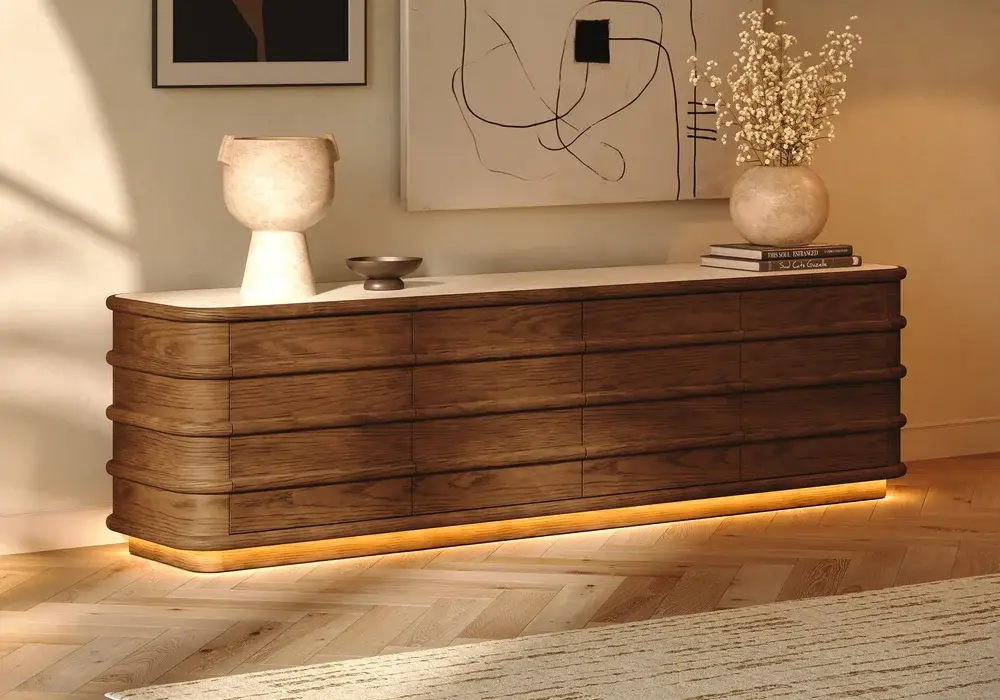
It suits living rooms where the media area should look like furniture rather than electronics storage. The adjustable shelves let you set compartment heights around your own equipment, and the integrated lighting adds a soft glow in the evening.
A Wide Sideboard-Style TV Stand for Wall-Mounted Setups
The 94-inch ash-veneer TV stand with hidden storage and LED lighting is the widest of the three, with hidden storage and drawers that work like a long sideboard. Its listing gives a TV size of up to 39 inches for direct support, so it is best paired with a wall-mounted TV above, or a smaller screen on top.
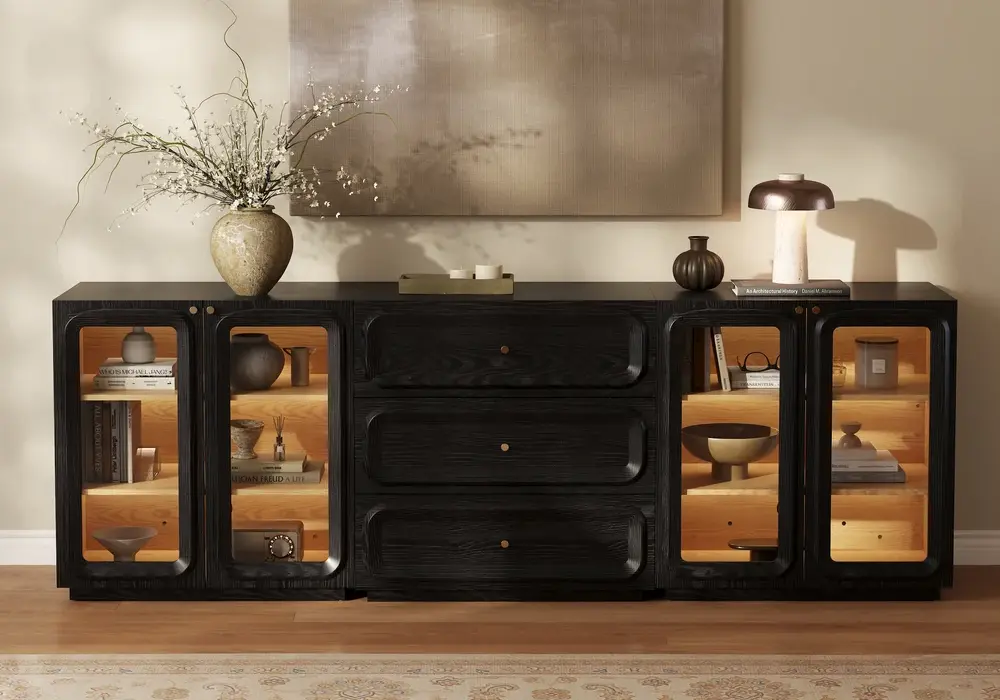
Used that way, the width becomes an advantage: a long wall gets a full-length storage piece, and the mounted TV above can be sized freely. Plan the layout with the real components drawn in, since a taller or multi-part composition changes sightlines.
A Lower-Profile Option: The Aura 65-Inch Slatted Stand
The Aura 65-inch slatted TV stand with a sintered stone top measures 65 inches wide, 18 inches deep and 30 inches high. It has pre-drilled cable holes and a mix of cabinets and drawers, giving you a more compact sideboard format for smaller rooms and shorter walls.
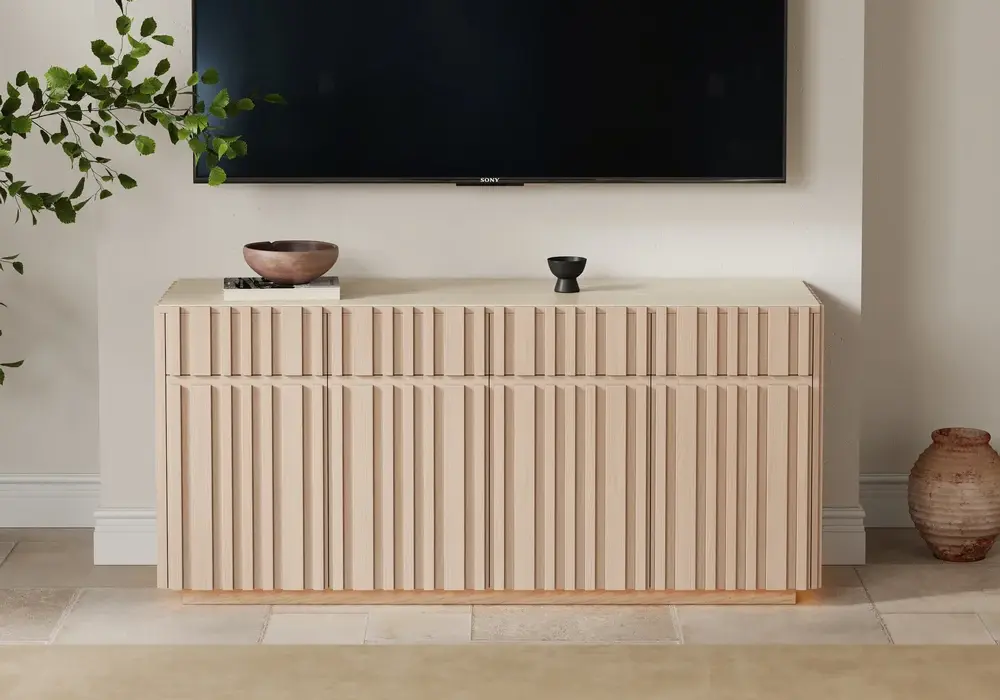
At 30 inches high it sits above a classic low console, so do the seated test before you buy. The pre-drilled holes keep cables tidy from day one, with no drilling needed.
Which Sideboard-Style TV Stand Fits Your Room?
- Choose the 80-inch walnut stand if you want the warmest sideboard look, with lighting and adjustable shelves, in a living room that needs one statement piece.
- Choose the 94-inch ash-veneer stand if you have a long wall, plan to mount the TV, and want the most hidden storage.
- Choose the Aura 65-inch stand if space is tighter and you want pre-drilled cable holes and a lighter, slatted look.
Your Pre-Purchase Checklist
- Setup: wall-mounted TV above, or TV standing on the furniture
- Size: cabinet width, depth and height against the wall, and the TV's stand footprint if it sits on top
- Support: a stated TV size or load for direct support
- Equipment: each device's dimensions, vent clearance and remote access
- Access: delivery route, door swings and walking paths around the cabinet
If a sideboard you already own ticks these boxes, use it. If you need direct TV support and it does not, choose a sideboard-style TV stand that does.
Frequently Asked Questions
Can any sturdy sideboard hold a television?
Not automatically. CPSC guidance calls for furniture designed to hold a television, so choose a piece with a stated TV size or load, and secure the TV as instructed.
Can a sideboard sit below a wall-mounted television?
Yes. The wall mount carries the TV, and the sideboard handles storage. Check the height and make sure the cabinet is stable and accessible.
Is a cable hole enough to use a sideboard for electronics?
A cable hole handles routing. Powered equipment also needs room for its plugs and vents, so give each device its own clearance.
Can I drill the back of a sideboard for cables?
Check with the manufacturer first, since the rear panel can be part of the cabinet's structure. Pre-drilled cable holes, like those on the Aura stand, avoid the question.
Is a sideboard too tall for a TV?
It can be when the TV stands on top. Test the seated eye line first. If the screen ends up too high, mount the TV on the wall at a lower position or choose a lower cabinet like the Aura stand.
What if I like sideboard styling but need TV support?
Choose a sideboard-style TV stand: it gives you the finish and storage of a sideboard with a top intended for a television.